Payment reminder message on WhatsApp: a credit-days ladder
Payment reminder message on WhatsApp for distributors: credit days from Tally, Hindi templates, part-payments and the MSME 45-day rule.
How a distributor turns a WhatsApp order into a Tally draft with that party's rate, a credit hold and stock by godown.

Nimish Gahlot
Founder, Empulse Labs
· Updated · 14 min read
Published
Updated · 14 min read
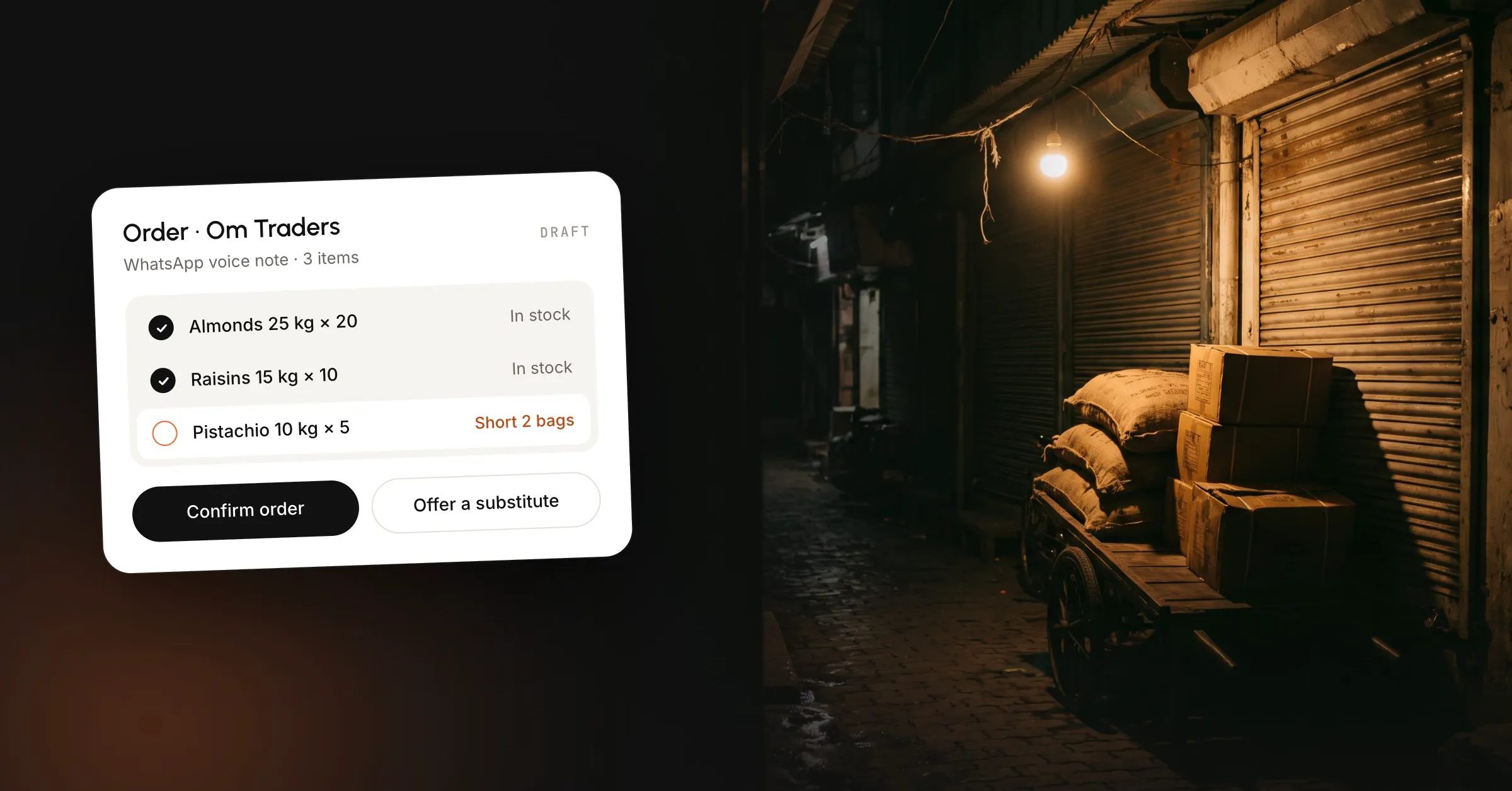
WhatsApp order management for distributors is the routine that turns a dealer’s message into an order with that party’s rate, a credit check against the Tally outstanding, and stock in the godown that will load the bags. The message may be a typed line, a voice note, a photo of a handwritten list, a PDF a broker forwards, or a call where the rate is agreed before the buyer is named. A WhatsApp catalogue stores one price, and Tally’s own WhatsApp share sends a document you have already made, so someone still has to read the order.
Most pages for this phrase cover a different desk. One set is a chat store for a baker or a boutique, with a catalogue, a cart and a shipping label. Another is software a manufacturer buys so its dealers will leave WhatsApp. A wholesaler in India already receives the order on WhatsApp and already keeps the books in Tally. The clerk’s work is to turn that message into lines, a party rate and a hold, before anyone promises bags the godown does not have.
People also search B2B order management, and the pages that rank are built for EDI and a US warehouse. On this desk the order is a message such as “40 bags W320, Panvel” from a number you already know, and WhatsApp order processing starts when that message arrives and ends when a named person has confirmed the draft.
Retyping one of those messages takes 4 to 5 minutes on the desks we sit with, and the item name is matched from memory. When the person who knows that “W320” means this lot is out, the order waits or goes out wrong. Put every message in one queue before anyone types a voucher.
Keep these in one queue, because a channel that stays on someone’s personal phone never becomes an order anyone else can see.
Voice notes, and orders written in Hindi or Hinglish, are how a lot of buyers write, so we scope that intake on the first call and do not describe it as live for every desk.
The buyer’s words stay on the draft, beside the item you matched. If the photo is too dark to read, the line stays open and the item stays blank, because guessing a grade from a smudge sends the wrong lot out.
The free app is the right first tool, and it has a real order screen. WhatsApp’s catalogue guide lets you add an item with images, a name, a country of origin, a price, a sale price, a description and a product code. Every image is reviewed against WhatsApp’s messaging policy. Until the item is approved, the buyer cannot see it. You can hide an item without deleting it.
A buyer can add catalogue items to a cart and send that cart into the chat. WhatsApp’s cart steps say an order is not final until the seller confirms it. You confirm by sending an order back into the same chat. The buyer can still ask for a change before you book it in Tally.
As of October 2026, WhatsApp’s page on managing orders says the payments feature on that order is only available to users in Brazil, on the WhatsApp messenger app. An Indian distributor should keep card payments off that order screen. UPI, cheque and cash still hit the Tally bill the way they do today.
Labels on the chat, such as new or packed, help while the volume is small. Stock, the party ledger and the godown need their own records.
Match your item codes first, then that party’s past orders, then AI for whatever is left. A line the match is unsure of stays on the draft, with the buyer’s words beside it, until a person confirms it and the line is an order. A new party stays manual until the papers are in.
We ask for a GSTIN, or PAN and FSSAI, before a new party can be booked. Match that to your own list before you treat it as the rule for every state.
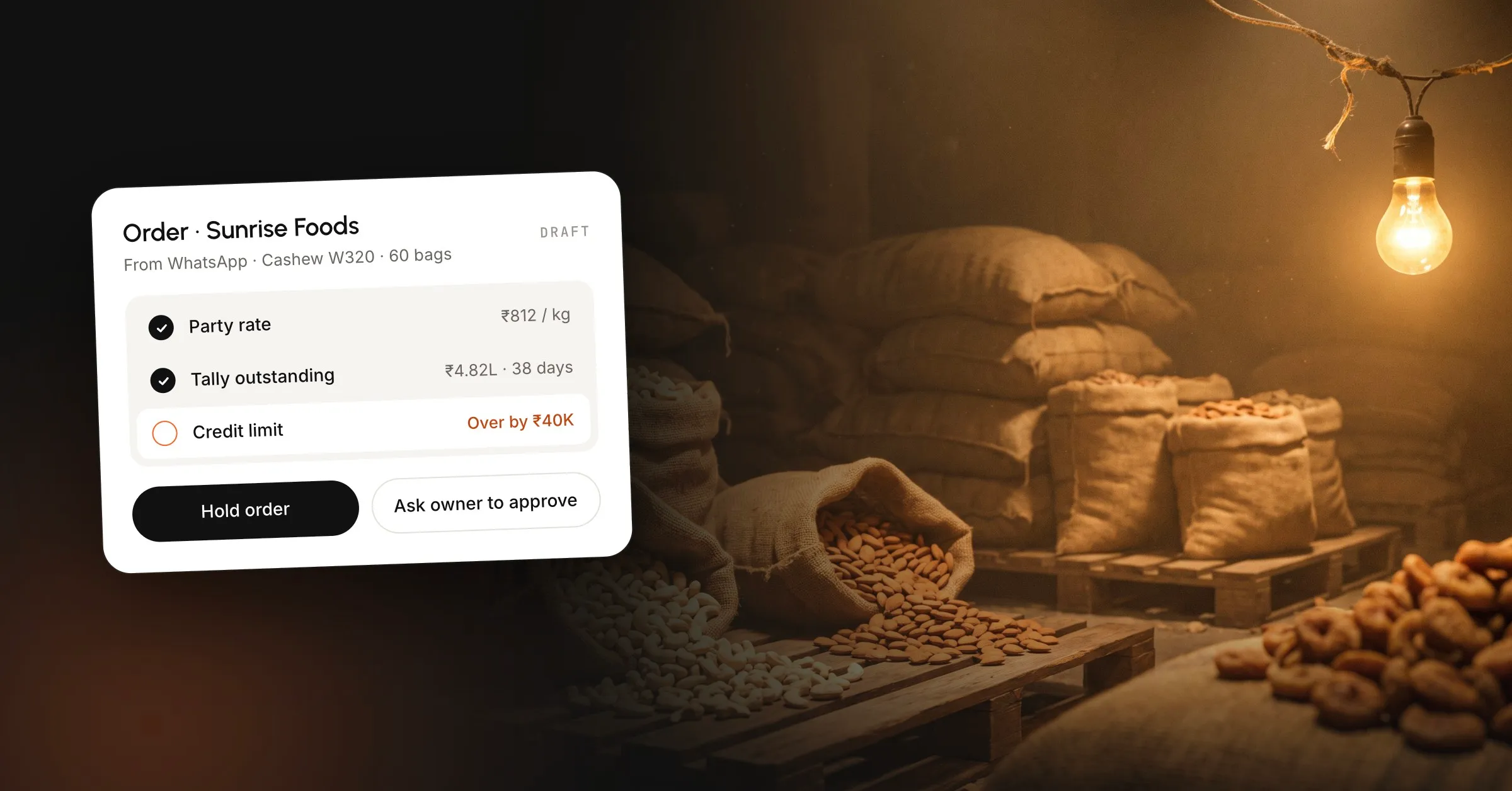
The screen below is the order on our wholesalers and traders page, from a Mumbai dry-fruit and spice desk. The figures are that order, not a market rate. Discount, brokerage, APMC and GST on the same screen are walked through on the TallyPrime WhatsApp integration post, next to the fact that Tally still saves an over-limit sales order if you press Enter.
| Check | On this draft | Stop the booking if |
|---|---|---|
| Party | Sunrise Foods, Vashi, via R. Mehta & Co. at 0.5% | The party is new and the papers are not in, or the party is blacklisted and nobody has treated this order as an exception |
| Rate | Cashew W320, 1,996 kg net at ₹160 a kg, this party only | The rate came from memory, from another party’s list, or from a PDF that still shows yesterday’s price |
| Credit | ₹4,82,300 due, and they usually pay in 38 days | The order would go over the limit, and the person you named has not released it |
| Stock | Lot KJ-07 in Vashi: 420 bags, 60 booked, 360 sellable. Forty bags fits | The lot is already oversold, or the bags the salesman promised are in another godown |
| Ship-to | Panvel godown | The ship-to is not the party’s usual address and nobody has confirmed the change |
The rate on the draft is this buyer’s rate, plus the scheme and the brokerage, and you quote the buyer only that rate before the truck is discussed. A WhatsApp price list, the thing people search for next to Tally, is one column, and your ledger is a column per party, so sending the whole column is how the next buyer asks for someone else’s price. When the rate is wrong, the goods leave and the argument starts after the vehicle has gone, and that is credit you did not mean to give. Grade slabs and a company scheme belong on the same draft, applied before anyone confirms.
Run the credit check on the order before the bags move. The draft should show what the party still owes, the credit days you agreed, and how long they usually take to pay. A party can be inside the days and over the limit, or inside the limit and late on an old bill, and the draft should show which.
Tally will warn, and it will still save the sales order. The hold is a rule you add on the draft, until someone you name releases it, and the release should say who said yes. A blacklisted party raises the reason and waits. An order inside the limit can still be the wrong lot or the wrong godown.
The same grade can sit in more than one place. On that Mumbai screen, lot KJ-07 in Vashi has 360 bags sellable after bookings, so the 40 bags fit. Lot AL-30 in the cold store is a separate balance. Lot PS-12 at Panvel is fully booked, with more still in transit. Lot EL-04 in Vashi is already oversold, 18 bags on hand against 22 booked, which is a buy signal. A salesman who has already told the buyer the grade is available needs the sellable number for the lot that will actually load, before the chat reply goes out.
Bag count and net kilos will not always divide cleanly. Bags dry, a bag gets split, and a sale can mix full bags with loose kilos. Tare is set once per lot. If the draft stores only one quantity, the godown has to guess which bags to load.
Reply while the conversation is still open, from the WhatsApp Business number the party already has saved. Name the goods, the quantity, that party’s rate and the ship-to. Leave other parties’ rates and the rate list out of the message, and leave lot codes out too: KJ-07 in Vashi is a different balance from the same grade in the cold store. On the sample order the broker is on the draft at 0.5 percent, so buyer and broker both get the copy. The marka, the mark on the bags, belongs on the delivery order the godown runs.
The godown and the transporter execute the delivery order. A PDF of a Tally delivery note has no marka and no rule that it can be printed once. Require the marka before the order can be billed, preview the delivery order, and print it once per user so one document cannot become two trips.
On the Mumbai desk that rule is one print per delivery order per user. The build took 9 working sessions and 5 logins, from the desk to the godown, and it is in daily use with launch testing still under way. The sample is DO-2416, marka SF-12, vehicle MH 43 7781, ship-to the Panvel godown, with the Tally invoice number on the same row once it exists. Status, including when the load is on the vehicle, hangs on that delivery order. Buyer and broker receive the copy from your own number, and the godown loads the lot printed on the delivery order.
If the buyer says the bags were short, or the lot was mixed, a person works it from the delivery order. Editing the original invoice in silence, or adjusting the stock with no reason, hides what was reported. The bags, if they come back, return to the lot and the godown that sent them, and a deletion still needs a reason.
As of October 2026, Tally’s GST credit-note guide records the return like this:
The credit note takes the date of the return. Tally Help says it is included in the GSTR-1 for that month, even when the original sale was earlier. The longer sales-return guide (updated 30 April 2026) splits the bill link: Agst Ref if the party has not paid, so the open bill shrinks, and New Ref if they have already paid, so they adjust it on the next purchase. Share the credit note, and match the godown and the lot back to the delivery order that went out before you save the voucher, because Tally leaves both for you to set.
A catalogue shows a counter item a buyer might browse, with a photo and a product code that matches your item master. The item has one price field and one sale price, so it cannot hold Sunrise Foods at ₹160 a kg and the next buyer at another rate. Hide the price, or show a list price you are prepared for everyone to see, and put the real rate only in the reply to that party.
A broadcast is one text to many people. WhatsApp’s broadcast-list article sets three rules: every contact on the list must have saved your number, you can keep as many lists as you like, and each list can hold up to 256 contacts. Recipients get a private message, and a reply does not go to the rest of the list. People in some countries may also see a monthly cap. A party who has chatted with you but never saved the number receives nothing, and you are not told.
That list still carries one message, so today’s card rate, sent to every party, shows every recipient the same number and leaks the party rate. Use a broadcast for something that is true for everyone, such as a holiday or a godown that is shut, and only to people who expect to hear from you.
As of October 2026, WhatsApp’s marketing-message guide says this feature is now called business broadcasts in some countries, and it might not be available to you yet. Where it is available, the message needs a photo, Meta reviews it before it sends, and you pay for delivered messages. The same guide requires the consents in the WhatsApp Business Terms, including opt-in, and says you must honour a request to stop. A rate-list blast fails that requirement, because the recipients do not share one price.
On the WhatsApp Business Platform (the API, separate from the free app), WhatsApp’s Business Policy allows a free-form reply inside the 24-hour customer service window, which opens and resets when the user messages you. Outside that window you can only send an approved template. A confirmation while the chat is still open can be an ordinary reply. A dispatch note the next morning, if you are on the API, needs a template Meta has already approved. Tally’s own share uses that template path, and the setup sits in the post linked below.
TallyPrime with WhatsApp sends a document you have already saved: the invoice, a reminder from Bills Receivable, a ledger, or a payment link on a bill that already carries one. The share starts after the voucher exists. Reading “40 bags W320”, applying Sunrise Foods’ rate, and holding the order when the ledger is over the limit happen on the draft, before that share runs.
Charges, the wallet, business verification and the clicks that turn the share on are on our TallyPrime WhatsApp integration post. Use that share for the PDF once a person has entered the order.
“Distributor management system” is three products that Google India mixes. Autocomplete on that phrase, checked for India on 26 October 2026, offers the HPCL login, HP Gas and DIMAS alongside FMCG software. The oil-company row is a portal your principal already gave you. The brand DMS exists so that principal can see secondary sales, schemes and claims for one brand. Your other brands, your broker, and the godown that holds lot KJ-07 stay on your books. Your own order book is the third: the message, the party rate, the credit hold, the godown, and a Tally voucher a person approves. We read parties, items and outstanding from Tally, and nothing is written back until a person approves.
| Situation | What to run | What it will not do |
|---|---|---|
| Few parties, one rate, the owner still knows every balance | WhatsApp Business app, labels, and a register you actually update | Party rates, a credit hold, stock by godown |
| Many parties, books already in Tally, orders on WhatsApp | An order layer on Tally: one draft, then a voucher a person approves | A second set of books, or a catalogue price that changes by party |
| One principal wants secondary sales, schemes and claims | That brand’s DMS, for that brand | Your other brands, your brokers, your godowns |
| Retailers will install an app and use it | The app, with WhatsApp landing in the same queue | A second inbox you still type at night |
Some vendor guides publish a cutoff, 30 or 100 orders a day, with no count behind it, so we do not use those numbers. The current routine stops being enough when one person can no longer hold the party rate, the outstanding and the godown balance, or when a missed chat becomes a missed truck. Keep taking WhatsApp during any move to an app. Refusing the message for a week sends that order to the next trader.
We build that queue for sales and operations on the tools the desk already runs: your WhatsApp Business number, your Tally, your godowns. One workflow is live in 3 to 6 weeks, and the setup fee comes back if it does not work in 45 days. Most desks start with the order and the delivery order. If that is the part of the desk you want fixed, start with wholesalers and traders, or look at the sales and operations systems we put on the tools you already use.
The WhatsApp Business app installs on an ordinary phone, and the Business Platform is a number registered with Meta and used through software, so the handset stays on that one chat app. Keep the number your parties already have saved. A confirmation from an unknown handset is easy to ignore, and a rate sent from a personal phone is how a list leaks.
Yes, if both channels land in the same queue. A retailer who will not install an app keeps sending the line on WhatsApp, and a portal that ignores those messages becomes a second inbox your clerk still types at night. The app earns its place when buyers actually use it and the WhatsApp order is priced and credit-checked on the same screen as the app order.
Recording the credit note puts it into that month's GSTR-1 data inside Tally. Tally Help says the note is included in the return for the month of the return date, which can be later than the original sale. The credit-note voucher is the record in Tally. Filing the return on the GST portal is still your accountant's step, and the books stay in Tally.
That pair of messages is common on a beat. Treat the second one as a possible duplicate until someone compares party, item, quantity and ship-to with the order already in the queue, because booking both loads the bags twice. Keep the buyer's words on the draft so the clerk can see the two messages were the same request.
A group shows every member the same message, and a reply lands in front of the other parties, so a party rate does not belong there. A broadcast list is private to each recipient and still carries one text, so everyone sees the same price. Send party rates one conversation at a time, and send each party only their own rate.
One workflow is live in 3 to 6 weeks. Most desks start with the order and the delivery order, then add stock and dues once that first workflow has earned its place. The setup fee comes back if it does not work in 45 days. We build it on your WhatsApp Business number and your Tally, and you own what we put in place.
Payment reminder message on WhatsApp for distributors: credit days from Tally, Hindi templates, part-payments and the MSME 45-day rule.
TallyPrime WhatsApp integration sends the bill you already made. It will not read the dealer's order. Here is the path from that message to cash.
AI for MSME India pays back on Tally and WhatsApp desk jobs. Sensors and forecasts wait until the data exists. What to run first, and what not to buy.
Book a 30-minute call. We'll map the workflow costing you the most hours and tell you honestly whether AI can fix it.
Book a 30-min call