
AI for MSME India: use cases that pay back
AI for MSME India pays back on Tally and WhatsApp desk jobs. Sensors and forecasts wait until the data exists. What to run first, and what not to buy.
Tally Prime posts the batch, the bill of materials and the job-work challan. A schedule is a different system. The clicks, and where to stop.

Nimish Gahlot
Founder, Empulse Labs
· Updated · 15 min read
Published
Updated · 15 min read
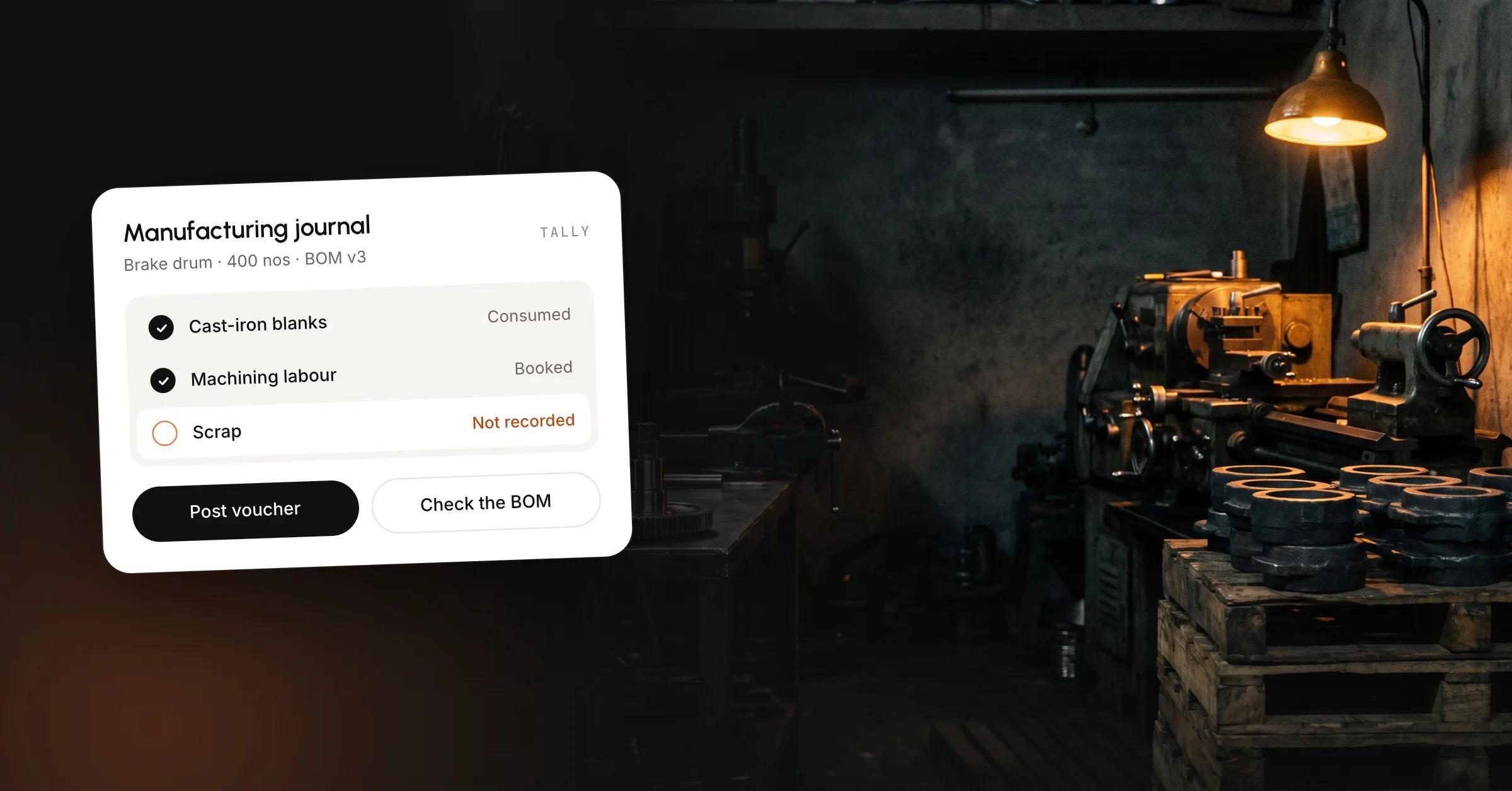
Tally Prime for a manufacturing company records the batch you finished. A bill of materials on the finished item lists the components, a manufacturing journal consumes them and takes in scrap or a by-product, and the voucher shows a cost for what landed in the finished-goods godown. Job work out and job work in cover material that left for plating or heat treatment. A schedule, a routing and a material plan from open sales orders sit outside that journal. A factory that needs them keeps Tally Prime as the books and runs the plan in another system.
Some 2026 buying guides still say Tally has no bill of materials. Tally Help’s manufacturing journal, updated 22 October 2026, consumes components from a bill of materials and brings the finished item into stock. The third column of the table is what each object leaves out.
| Object | What it records | What it does not do |
|---|---|---|
| Bill of materials | Components, godown and quantity on one stock item | Explode every level in one voucher |
| Manufacturing journal | Consumption, output, scrap, added cost, effective rate | Operations and minutes |
| Stock journal | A move from one godown or stage to another | Which machine runs next |
| Job work out / in | Material sent to a job worker and received back | A route of vendors and promised dates |
| Godown | Where the quantity sits | Who is working on it |
| Batch | Batch, manufacturing date and expiry, if you enable them | Pick the batch for you |
| Cost estimation | A cost from the bill of materials | Profit on a job already shipped |
Reorder level is a number on the stock item, and the check compares that number with the balance on hand. Open sales orders, lead time and quantity already at the plater stay outside the comparison.
The long procedure is Manage inventory in manufacturing, updated 16 February 2026. You need stock items and godowns, and a bill of materials if you want the lines to fill. You can save the journal with no bill of materials and type the components when the job is a one-off. A part you make every week should carry the bill of materials on the stock item, so the lines fill from the master.
A second BOM can start from the first. Alter the stock item, turn on Alter Components (BOM), type the new name, and press Ctrl+C (Copy BoM). Help says the copy brings components across, and you still type the unit of manufacture and the quantities. When a repeat customer wants one gasket swapped and you will use that recipe again, change the master. Once the list is rewritten on every order, the master has stopped controlling the issue.
If the item tracks batches, manufacturing date and expiry, the quantity will not fill. The inventory and manufacturing FAQ says Tally will not choose a batch, and it will not split one line across two batches, so you select the batch on the voucher yourself.
Without Ctrl+H, a stock journal has a source and a destination. Help’s dyeing example is the pattern: plain fabric moves from Stores to a Washing godown, then a second voucher consumes it there and produces washed fabric. Dyeing uses that same pattern again. Alt+G > Godown Summary, then Alt+F5, shows the quantity at each stage.
Alt+G > Cost Estimation is the cost on the bill of materials, for judging a selling price. Help says that figure will differ from the journal’s effective rate, because the estimate follows the item from purchase to sale and the journal’s rate is only the cost that voucher absorbed for the batch now in stock.
Help also lets you create an optional voucher type under stock journal, with Use as a Manufacturing Journal turned on, and call it a purchase requisition. You type every line, and nothing on that page raises the requisition from open sales orders.
Plating, heat treatment, painting and outside machining are ordinary on a component line, and Tally Prime can track the material when the vouchers are recorded in order. Record them out of sequence and the stock report will not match the floor, while the trial balance still looks fine.
Press F11 (Company Features), or Alt+K (Company) > Features, and set Enable Job Order Processing to Yes. Then alter the Material Out and Material In voucher types so Tally knows whether you are the principal or the job worker. The setup page is the one to follow for those flags, including zero-value material out when you do not want a chargeable amount on the goods you sent.
Get the flag wrong and the material-out voucher can sit in the day book and never appear in the Material Out Register. The inventory FAQ says you cannot turn Use for Job Work on after that voucher type already has transactions. Create a new voucher type under Material Out, set the flag, and record the movement there.
As a principal, the sequence is:
Auto-consumption is the other case. Allow consumption must be on, and a consumption godown is mandatory or nothing is consumed. F12’s Allow Auto Consumption, with Consider as Primary Item, consumes the bill of materials of what you receive. Use it when the job worker makes the finished item from your components. On plating, use it only if the plated hub is a new stock item with the unplated hub on its bill of materials. If the hub comes back as the same stock item, auto-consumption issues it out and receives it in on the same voucher.
As of October 2026, goods go to the job worker on a delivery challan. The Telangana commercial taxes handbook on job work, June 2026 edition, restates section 143 of the CGST Act: inputs and semi-finished goods come back within one year, capital goods within three years, or the transfer is a supply from the day they were sent. Moulds and dies, jigs and fixtures, and tools sit outside that clock. The handbook also says more time can be allowed, and that an interstate job-work movement needs an e-way bill with no value floor. The one-year date is stored on the material-out voucher, and you have to open that voucher to see the deadline, because a challan left in a file will not remind anyone.
Form GST ITC-04 is the statement of those challans. GSTN’s ITC-04 offline utility manual says that from 1 October 2021 the period follows aggregate turnover in the preceding year: above ₹5 crore, half-yearly (April to September and October to March); up to ₹5 crore, yearly. The handbook puts the due date on the 25th of the following month. Tally Prime holds the vouchers, and you file the statement on the GST portal, under Services > Returns > ITC Forms.
This is a teaching voucher. The item name matches the wheel hub on our manufacturing page, where an example order line is 120 nos. The rates below are what you would type on the journal, and we did not measure them on a customer job.
Bill of materials “Standard” on Machined hub, unit of manufacture 100:
Component cost on those two lines is ₹19,400, before the 2 percent on swarf. Read Effective Cost and Effective Rate of Primary Item on the voucher, because those two fields are the value in stock after the swarf allocation. A side sheet that recalculates the lines and “corrects” them will not match what Tally has posted.
| What you do | What Tally Prime posts | What it cannot see |
|---|---|---|
| Journal for 100 hubs | Castings and inserts leave Stores. Hubs and swarf are stocked | Machine, minutes, operator |
| Sales order for 120 | Nothing. Outstandings are a separate report | That 20 remain, or that these 100 are promised |
| Material out, plating | Quantity with the job worker, against the order | The plater’s queue |
| Material in, 98 | 98 back. The 2 stay out until you record them | Why the 2 were short |
| Plating purchase | The service bill and its GST | Margin on the dealer order |
Invoice the 120 before this journal and F12’s negative-stock warning fires. Post the journal when the bin has been counted, rather than letting another workflow invent a quantity to clear the warning. Sales Order Outstandings shows what is still to deliver. The journal puts the 100 into stock and leaves them unreserved, so purchase still has to work out how to cover the rest of the order.
The journal records a batch someone has already decided to run, and the decision itself stays on a board or in one person’s head. That holds while the recipe repeats.
A material plan explodes open sales orders through every level of the bill of materials, subtracts stock, purchase orders and material at job workers, and suggests a buy or a make by date. Tally Prime multiplies the BOM you selected, on the voucher you are typing, and nothing on that voucher reads the open sales orders. The optional purchase requisition is that same voucher: you type the lines, and open sales orders do not fill them. Reorder level fires when the item balance crosses the minimum, and open sales orders do not enter that test.
The hub journal consumed castings, which is one level. A casting you pour has its own bill of materials and its own earlier journal, unless you bought it. Help never describes one journal that walks from the hub down to the metal, so you stock the casting or you put its components on the hub.
Facing, drilling and inspection are operations, each with a work centre and a time. A godown named Drilling can hold the quantity that has reached drilling, once someone records the stock journal, and the balance still will not show whether the fixture is occupied or whether Thursday’s plating slot is the constraint. You can also keep a Hold godown for rejects, and F12 can hide expired batches. A pass or fail with a reason and a named release, or a trace from a complaint back through every job worker, needs its own record, because the godown balance and the batch stop at quantity and dates.
These are the tests we use when the books are already in Tally and the parts mostly repeat.
Stay on Tally Prime when the SKUs repeat, one or two bills of materials cover them, the batch is posted when it is finished, and job work is a few vendors with challans already in Tally. A desk around the books covers retyping, chasing, and a question the voucher already holds. Dates, work centres and material from the open order book are the point where the floor has to move to another system.
| Monday’s problem | Stay in Tally Prime | Add a desk around it | Move the floor |
|---|---|---|---|
| Same BOM, posted when the batch finishes | Post the manufacturing journal | Add a desk only when the complaint is typing | A floor system is unnecessary for this batch |
| WhatsApp purchase orders | The sales order is still typed by hand | A person approves a draft order | A floor system does not clear WhatsApp orders |
| BOM rewritten every drawing | The master goes stale | A person still has to accept the list | You need a system that keeps a changing recipe |
| Shortages against orders already booked | Reorder level cannot see the orders | Write a shortage list, then a person buys | Move when you also need dates and lead time |
| Minutes and work centres | A godown shows quantity and has no queue | A chat cannot put minutes on a work centre | Buy the planning system for minutes and work centres |
| Challans in a folder | Record material out and material in | Chase the order before the one-year date | One part is moving through several vendors |
As of 26 October 2026, Tally’s cost-of-ownership page, updated 13 July 2026, lists Silver at ₹750 a month, ₹8,100 for 12 months, or ₹22,500 once, and Gold at ₹2,250 a month, ₹24,300 for 12 months, or ₹67,500 once, before 18 percent GST. TSS is included for the first year, then ₹4,500 a year on Silver and ₹13,500 on Gold, plus GST. The buy page that week matched the licence figures. Gold is concurrent users. A lapsed TSS keeps the company and stops statutory updates.
The cost of staying is that licence plus the time to key the journal. A planning system keeps the Tally bill and adds a second subscription. Public posts in October 2026 disagreed on that second price, because the plans differed. Read the vendor’s page on the day you sign, and ask who implements it and what year two costs. Replacing Tally means a migration and a close your accountant has to relearn. The floor tests above are the case for making that change. Tally Help documents the manufacturing journal, which corrects any guide that says the journal does not exist.
A dealer photo that becomes a draft sales order stays on the order and never reaches this journal. The match is party, item and rate, a person approves the draft, and the lines a system must not guess are written up in purchase order to sales order automation. The manufacturing journal starts after the order is accepted and a batch is being made. Reading the photo produces that draft, and the lower-level recipe and the work centre are chosen later, outside the photo.
If those orders are still keyed by hand, that desk is the first one we would take, and a finite schedule is a larger job than a short workflow build should imitate. What we book, what a person still approves, and what we leave alone are on the manufacturing page. The other systems for sales and operations are under services. Tally Prime stays the books while the first workflow, on your WhatsApp Business number and the company you already run, goes live in 3 to 6 weeks. If it does not work in 45 days, the setup fee comes back.
Tally Help says you cannot print the bill of materials from the stock item screen. Record an optional manufacturing journal against that bill of materials and print the voucher. Optional means it need not post into stock. Treat the print as shop paper. The live quantities stay on the stock item, because the print goes stale the day someone alters the master.
The manufacturing journal is the same voucher. Style, colour and size are stock items, or batches, and the bill of materials sits on that item. Tally Help does not describe a garment module, a cut order, or a size matrix. If fabric quantity changes on every lay, you are editing the bill of materials on the voucher. That is where a repeating master stops being the control.
Ctrl+H sets Use for Manufacturing Journal on the voucher you are in. Tally Help's inventory FAQ says that after you save, Alt+F7 opens a stock journal again. The next voucher is not stuck in manufacturing mode. Do not expect to alter an old stock journal and turn it into a manufacturing journal. Record the movement in the mode you meant, while the quantities are still in front of you.
No separate manufacturing module showed on the price list we checked. On Tally's cost-of-ownership page, updated 13 July 2026, Silver and Gold carry the same features. Gold is concurrent users on one local network. The manufacturing journal, bill of materials, godowns and job work orders are in the product. A planning system, if you need one, is a separate subscription.
Yes. Tally Help lets you pre-close a job work out order when delivery fails or the balance will never arrive. Do it, or the next material-in still looks like it belongs to that order. Pre-close does not write the pieces off. Goods still at the plater stay on the material-out until a material-in, a scrap entry, or a decision that GST treats them as a deemed supply.
By default, yes. F12 on the manufacturing journal includes Use Expired Batches, and Tally Help says those batches stay in the list unless you set that option to No. The list does not pick one for you. If the item tracks batch, manufacturing date and expiry, the component quantity will not fill on its own. You choose the batch, including one that is past its date.
AI for MSME India pays back on Tally and WhatsApp desk jobs. Sensors and forecasts wait until the data exists. What to run first, and what not to buy.
A dealer PO on WhatsApp should become one Tally sales order. Here is the draft a person approves, and the lines the system must not guess.
The columns a rental desk needs for bookings, availability, deposits and GST invoices, and where that sheet still double-books a unit.
Book a 30-minute call. We'll map the workflow costing you the most hours and tell you honestly whether AI can fix it.
Book a 30-min call