Property Finder leads: reply, qualify, route and follow up
Property Finder leads and Bayut enquiries need one owner, a WhatsApp reply that names the listing, and a follow-up that is on the record.
A Trakheesi permit has to name the unit. What a Dubai brokerage checks before an off-plan listing hits Property Finder, Bayut and Dubizzle.

Nimish Gahlot
Founder, Empulse Labs
· Updated · 15 min read
Published
Updated · 15 min read
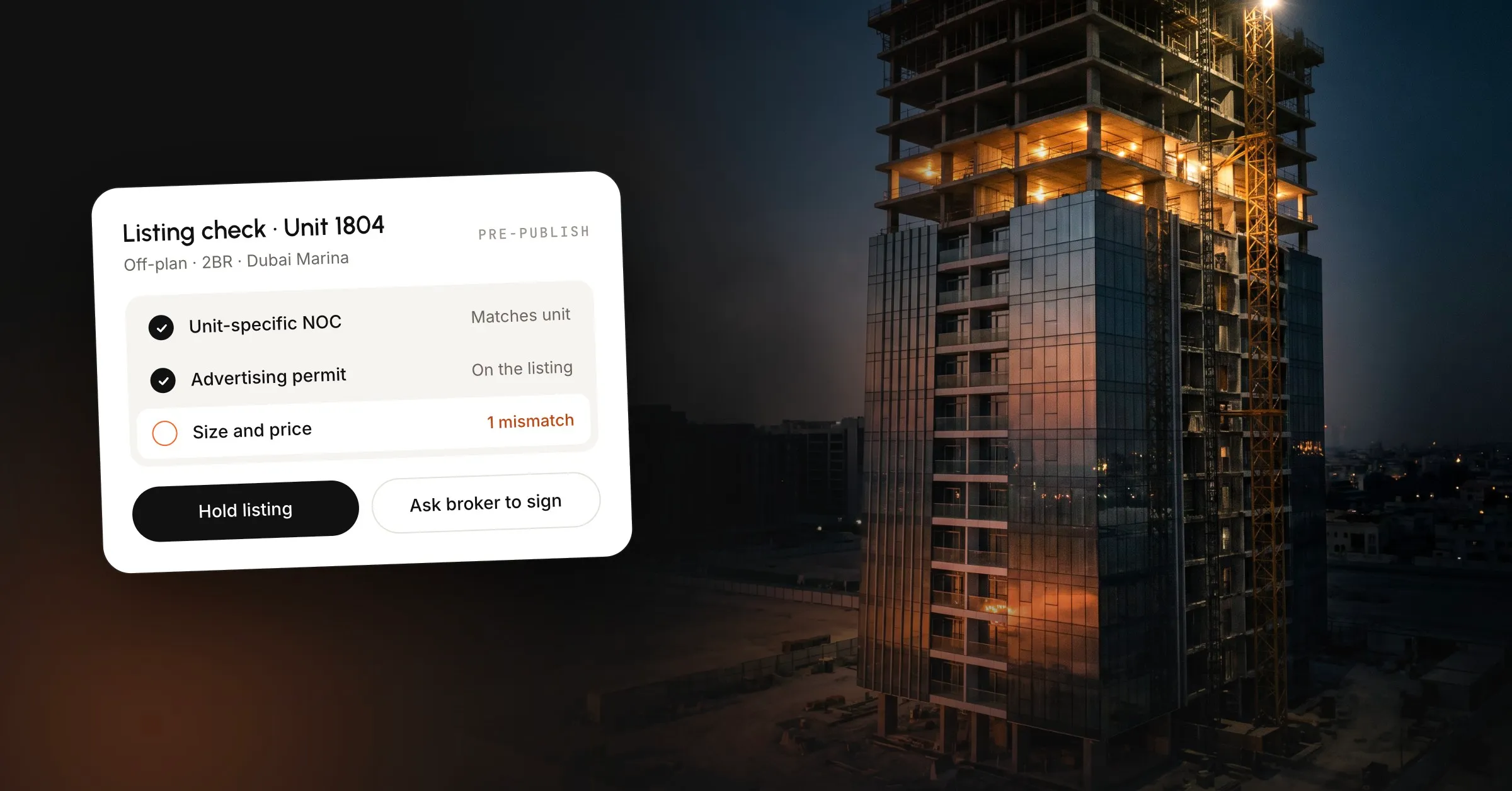
To get a Trakheesi permit for a listing, apply in the Dubai Land Department’s Trakheesi system with proof the brokerage may market that unit, then put the permit number on the ad. For an off-plan primary unit, the proof is a developer NOC that names the unit. Match the unit number, size and price on the NOC, the permit and the listing before Property Finder, Bayut or Dubizzle see it, and have a named person at the brokerage sign that match.
This is the operating check we use with listing desks, taken from DLD pages and the 2025 manual as they stood when we read them in October 2026, and it is not a legal opinion. Where a portal guide disagrees with those pages, we say so.
Trakheesi is the Dubai Land Department system for real estate licences, advertising permits and profession practice cards. The Trakheesi User Manual 2025 describes the system as covering all three. RERA, the Real Estate Regulatory Agency, is the regulator inside DLD. Trakheesi is where a brokerage files the permit.
The Real Estate Brokerage Practice Guide (November 2024) requires brokerages to obtain a permit through Trakheesi for any real estate advertisement or marketing material. In the guide’s words, “the permit number must be displayed on the ad.”
Property Finder, Bayut and Dubizzle ask for that number before a listing can go live, because they are enforcing the DLD permit. A screenshot of someone else’s ad, or a permit number copied from the unit next door, does not cover this unit.
DLD’s Real Estate Ad Permit service, as published in October 2026, lists 14 kinds of advertising permit:
A portal listing sits under electronic advertising. The same page says a brokerage applicant must attach a marketing contract with the property owner for online advertisements, and for most of the other types. On an ordinary ad, the page asks for a copy of the advertisement form, meaning the copy you actually intend to run.
One permit type in the manual only covers promotion of the company’s own services and does not allow promotion of properties or projects, so that menu choice will not cover a unit.
Get the right to market the unit before you file the permit, and file the permit before anyone opens a portal. Filing inside a portal upload form, with a developer briefing in twenty minutes, is how a project letter gets attached to the wrong unit.
| Listing | Document you attach | What has to match |
|---|---|---|
| Ready sale in Dubai | Marketing contract A number | Unit and price on Form A |
| Lease in Dubai | Owner’s marketing contract | Unit and rent |
| Off-plan primary unit | Developer NOC naming that unit | Unit number, size and price |
| Project campaign | Marketing contract with the developer | The project, not one unit’s beds or view |
For a ready property for sale in Dubai, the manual says you enter the number of marketing contract A between the owner and the broker, then pay the fee. For a lease in Dubai, you select the property type and attach the required documents. For an off-plan primary unit, the practice we run is a developer NOC that names the unit. The project-level checks sit in the next section. Start from the NOC or the contract, because a brochure render does not carry a unit number you can defend.
Agree the unit string once, since “1204” and “12-04” are different strings to a reviewer reading a reject at 9pm. Write the source on the record, such as “Developer sales, emailed 12 March”, and leave off a guess such as “I think this is the one from the brochure”.
Portal walkthroughs often describe listing permits as auto-approved once the fee is paid. That can be a different product from the one-working-day service on the public page. Read the status Trakheesi returns before you promise a same-day number or write the ad around a number you do not have.
When the permit is issued, copy the permit number and the expiry onto the listing record before anyone opens a portal. Then put that same number on Property Finder, Bayut and Dubizzle.
Each portal stores its own listing reference after it accepts the ad. That reference is a separate number from the Trakheesi permit, so keep both on the listing record. Three portals need one set of unit facts, with three references hanging off that record. If the ad goes up while the number is still only in a WhatsApp chat, a buyer or an inspector can fail the listing in a minute.
The public fee list and the amount a listing desk pays for a unit are easy to mix up. The table below is what DLD’s ad-permit page itself printed when we read it in October 2026.
| Item on the DLD ad-permit page | Fee printed there |
|---|---|
| Standard advertising permit | AED 1,000 |
| Knowledge and innovation fee | AED 20 |
| Project launch event permit | AED 5,000 |
| Exhibition, preliminary booking | AED 10,200, later deducted from the permit fee |
| Exhibition, per exhibitor | AED 1,020 |
The page also says payment is by credit card, e-Dirham or Noqodi wallet. Exhibition permits on the same list have extra conditions, including a rule that off-plan property shown at an exhibition must be registered with the Escrow Account Department.
Property Finder’s Trakheesi guide (byline 16 January 2026) quotes a primary permit at AED 1,125 a year plus VAT, and says further units on that permit are not charged again. That AED 1,125 figure does not appear on the DLD list. Other blogs quote AED 220, which is the figure portal guides use for a broker card, a different charge from the rows above. Pay the amount Trakheesi shows at checkout for the permit you are raising.
The ad-permit page does not state a length, and the manual tells you to enter a start date and an expiry date. Published guides fill the gap with thirty days, sixty days or one year. Those figures disagree with each other, and none of them appears on the DLD fee page.
Use the expiry printed on the permit you were issued. A permit that matched the unit in March and lapsed in June does not cover the listing on publish day. The manual has separate requests to renew a permit and to amend one. If the developer reissues the NOC because the size was wrong, the old permit still carries the old size, so raise a permit from the new NOC and keep the listing down until that number is the one on the ad.
Compare the result with the ad in front of you, field by field. DLD’s verify licences and permits service runs on the Land Department website and in the Dubai REST app. You enter the details and the result comes back immediately. Read the property, the company, the status and the dates against that ad. A valid permit for a different unit fails this comparison.
The practice guide says every broker is required to use the Dubai REST app. It holds broker records, office classification, smart contracts and off-plan projects. DLD’s description of the app includes completion, photographs and the escrow account number. Quote the escrow account number from the app, because a figure copied off a sales deck is the wrong source for that field. If the verify result names another tower, or the status is not live, the listing is not ready.
On 18 April 2023 DLD announced Madmoun, a QR code issued with an advertising permit. From 24 April 2023, companies were expected to show it on print and audiovisual ads. A scan is meant to show RERA approval, the advertising company, and the property’s condition and specifications, including whether it has been sold or rented.
DLD’s inspection release of 17 July 2024 said the control team ran 450 field tours and 1,530 advertisement inspections in the first half of 2024, issued more than 1,200 legal warnings, and fined 256 brokers for advertising breaches. The release says inspectors look for a QR code that scans, ad data that matches the code, and a permit issued to the company that is advertising. It does not state an amount in dirhams, and we have not added one. Several guides print AED 50,000 as a flat fine, and that number does not appear in this release. Ask DLD for the current schedule before you quote a penalty to a client.
The April 2023 release names print and audiovisual ads, and the sentences we read do not say “every portal card”. If the permit you were issued includes a QR code, put it on the material the release names, and keep it readable. A code that does not scan fails the test the July 2024 release describes.
The practice guide’s rule for marketing an off-plan project is short, and desks still skip parts of it on launch day.
A project that fails any of those is not ready to advertise. The exhibition rule on the ad-permit page requires the same escrow registration when off-plan property is shown at an exhibition.
A project permit, or a marketing contract that names the development, lets the brokerage talk about the project. A unit ad names a floor, a size and a price. Property Finder’s guide tells agents to take a developer NOC for the specific unit, stating the price, and to apply for a primary unit permit when the ad is for that unit. The same guide says this unit permit was introduced for developers in April 2024, and elsewhere says a brokerage needs the permit only once per project. Those two instructions cannot both be the whole rule. Property Finder’s guide is a portal document. The DLD wording sits on the ad-permit page and in the practice guide.
We have not found a unit-by-unit NOC clause on the public ad-permit page. On listing desks, a project letter covers the development, a unit ad has to name the unit, and a permit that does not resolve to the unit comes back rejected. Until that wording is confirmed, use the path you can defend: an NOC for the exact unit, a permit raised from that NOC, and a listing copied from that permit.
A fee paid once for a project does not make unit 1204 and unit 1208 the same advertisement. Advertise the project on the project permission, and advertise a unit only when the number you paste into the portal comes back as that unit.
Treat the numbers below as an illustration of a mismatch on a made-up unit, not as a filing instruction or a client file.
The developer NOC says unit 1204, 1,240 sq ft, AED 1,850,000. The permit was filed at 1,214 sq ft because someone typed from a different stack. The listing then says “from AED 1.2M” and “skyline 2-bed”, borrowed from the project render, which was shot from the other side of the tower, while unit 1204 faces the road.
Any one of those gaps is enough to treat the permit as the wrong unit. Pick the NOC as the source, make the permit match it, and cut every line the permit will not stand behind. “From AED 1.2M” is a different price from the one on the permit, and a bedroom count borrowed from a neighbouring type is the same kind of gap. A post-handover plan can stay only when the developer published it for this unit.
Fill this table before anyone opens the portal form, because a failed unit row means the later rows cannot clear the listing.
| Check | Pass | Hold the listing |
|---|---|---|
| Unit string | Same characters on the NOC, the permit and the ad | 1204 on one document and 12-04 on another |
| Size | One figure and one unit of measure | 1,240 sq ft on the NOC and 1,214 on the permit |
| Price | The price the permit supports | “From AED 1.2M” against a permit at 1.85M |
| Permit link | Raised on this unit’s NOC | A project letter, or last month’s unit in the same tower |
| Expiry | Covers the day you publish | Lapsed, or still the old number after a new NOC |
| Copy | Beds, view and plan the documents support | A skyline line taken from the brochure |
| Sign-off | A person’s name and the time, on one record | “The listing team”, or four tabs and a WhatsApp thread |
The system can assemble the fields, and a person still has to decide they are true. That person should see the NOC, the permit number, the expiry and the listing copy in one place. If those four documents sit in four tabs, the person signing tends to click through the routine and miss the unit.
Write the name on the record, so that when a portal, a buyer or DLD asks why this unit was advertised, the answer is that name and a timestamp.
Publishing a unit follows the same check we already run on a valuation. We have a broker edit every report before it is sent, because Dubai Land Department figures can run 10 to 15 percent off live asking prices. Run that edit on the unit before the ad is public, because the check is cheap at the desk and costly once the ad has to be taken down.
On the desks we set up, one listing record holds:
While the unit match is blank, the record stays in draft and does not fan out from three half-filled forms. Launch week is when a developer sends a batch and the project PDF is the file already in the folder. Leave the blank match in draft through that week so the desk does not publish a listing that comes back rejected on Monday.
We do not log in to Trakheesi or issue permits. A PDF that only looks like the last one stays unverified, and a model is blocked from inventing a bedroom, a view, a payment plan or a price. The agent still chooses the unit and the buyer. While the match is empty, the machine refuses the send and shows the person the same four documents.
The permit is one step in a longer desk routine. For what happens once the listing starts pulling enquiries, see our guide to Property Finder and Bayut leads, and if you are choosing a system to hold all of it, what a Dubai brokerage should require from a CRM.
If your desk is still assembling this from a brochure, a forwarded PDF and three portal tabs, we can put the permit fields and the sign-off on one record in the tools the brokerage already uses. How that sits next to portal replies and owner reports is on our real estate page. The rest of what we build for sales and operations is in services.
A rental ad is still an advertisement. The Trakheesi User Manual 2025 has its own path for a property offered for lease in Dubai: you select the property type and attach the documents that screen asks for, including the owner's marketing contract. The permit number still has to appear on the ad. Confirm the live lease fields before you copy a sale checklist onto a tenancy.
A campaign for the project and an ad for one unit are different permissions. Portal guides describe a project permit and a unit permit, and some describe adding later units onto a permit that was already paid. The unit in the ad still needs a document that names it. If the permit you hold does not come back as that unit number, do not publish the unit.
No. Trakheesi issues licences, advertising permits and profession practice cards as separate services. The card is what lets a person practise. The permit is what lets one advertisement run. A current card does not put a number on a listing, and a listing permit does not replace an expired card. Check both before a launch week.
The permit sits on the advertisement. DLD's list includes electronic ads, SMS and promotional campaigns. A reply to someone who already asked about a listing that has a permit is a conversation about that ad. A broadcast or a status that shows a unit to people who did not ask is an advertisement, and it needs the permit for that unit. Ask DLD where your broadcasts fall.
On the Dubai Land Department website, in Trakheesi, with the Emirates ID or UAE Pass of the licence holder or a representative holding a power of attorney. The practice guide gives the system address as trakheesi.dubailand.gov.ae. An agent's personal email is not an account. The brokerage admin and a card holder do not see the same menu.
The Trakheesi number is the DLD permit for the advertisement. Property Finder, Bayut and Dubizzle each store their own listing reference once the ad is accepted. Keep both on the listing record. The same permit number should show on all three ads. Three different permit numbers are three permissions, and you should know which unit each one names.
Property Finder leads and Bayut enquiries need one owner, a WhatsApp reply that names the listing, and a follow-up that is on the record.
What a Dubai brokerage should require of a real estate CRM: portal references, permits, WhatsApp on the lead, and a 30-minute test.
AI for MSME India pays back on Tally and WhatsApp desk jobs. Sensors and forecasts wait until the data exists. What to run first, and what not to buy.
Book a 30-minute call. We'll map the workflow costing you the most hours and tell you honestly whether AI can fix it.
Book a 30-min call